

Prerequisites
- Before you can use the Wavix Messaging API, you need to create a Wavix account.
- You also need to create or get your API key.
Sender ID registration
A Sender ID is what recipients see as the message sender on their devices. It can be a numeric (phone numbers) or alphanumeric (brand names) Sender IDs. Before you send an SMS message, register your Sender ID on the Wavix platform. Alphanumeric Sender ID:- Must be between 3 and 11 characters long.
- Can contain uppercase and lowercase ASCII letters, digits, hyphen (-), plus (+), underscore (_), ampersand (&), and space.
- Should not contain only digits.
- Must be an SMS-enabled DID on your account.
- Third-party numbers and DIDs that do not support inbound SMS cannot be used as a Sender ID.
Register a Sender ID using the app
Access Sender ID registration
- Sign in to your Wavix account.
- In the top menu, select SMS → Sender IDs.
- Select Create new.
Select Sender ID type
- Select Alphanumeric to use a brand or service name as your Sender ID.
- Select Numeric to use a phone number as your Sender ID.
Then select Next.
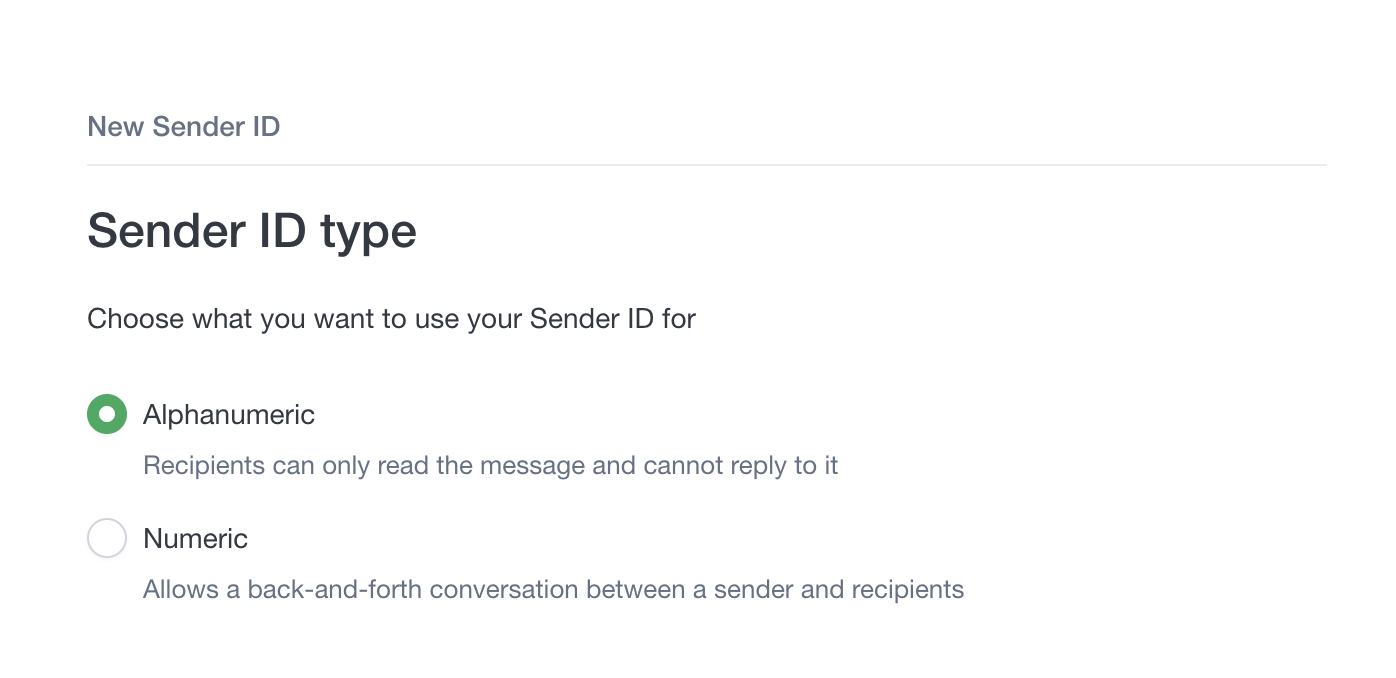
Select destination countries
Select your destination countries. Sender ID regulation varies by country and Sender ID type; some destinations may be unavailable. Then select Next.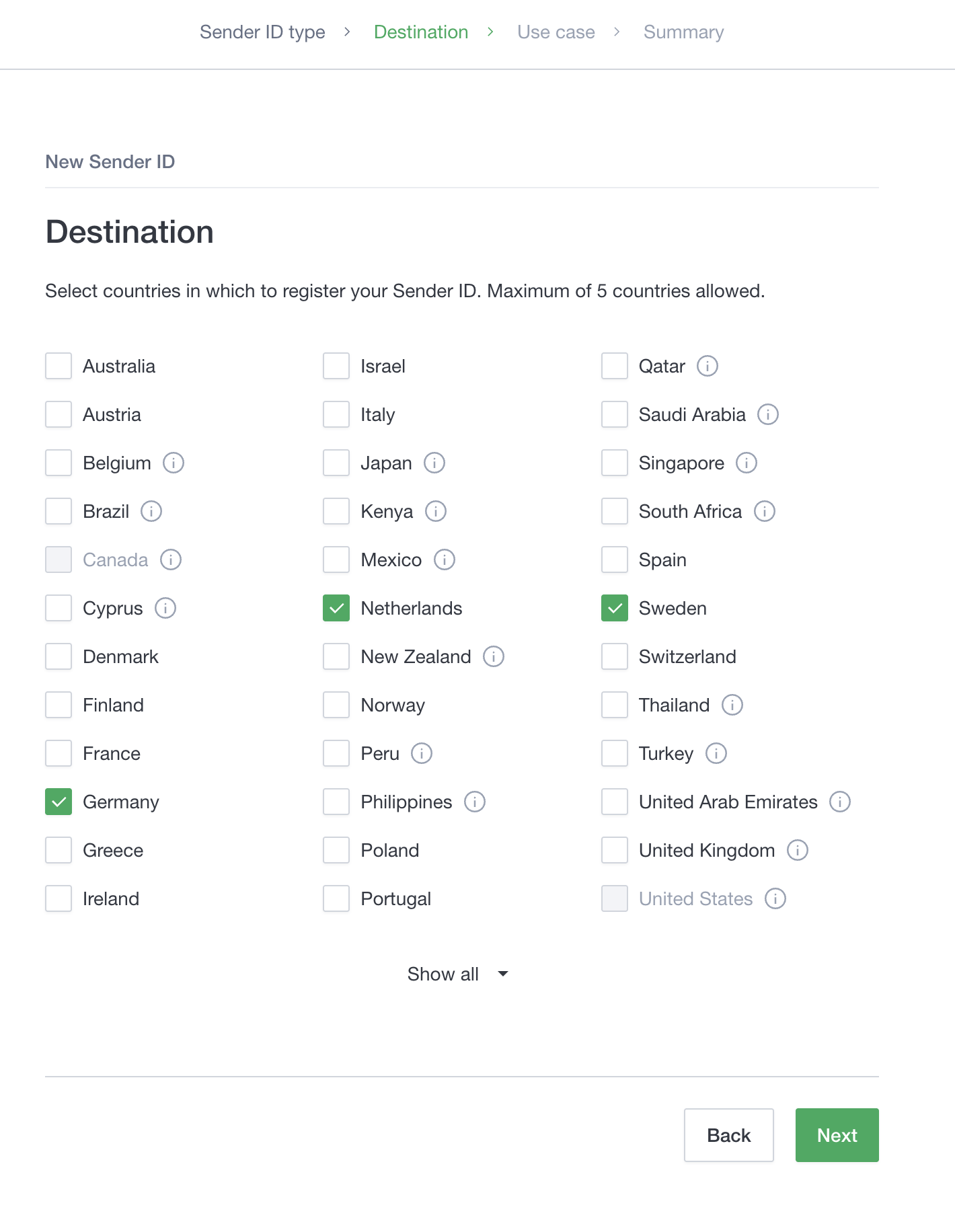
Select use case
Select your use case for messaging. Options include Promotional, Transactional, or Authentication. Enter your Sender ID name, estimate your monthly message volume, and provide sample messages you plan to send.
Then select Next.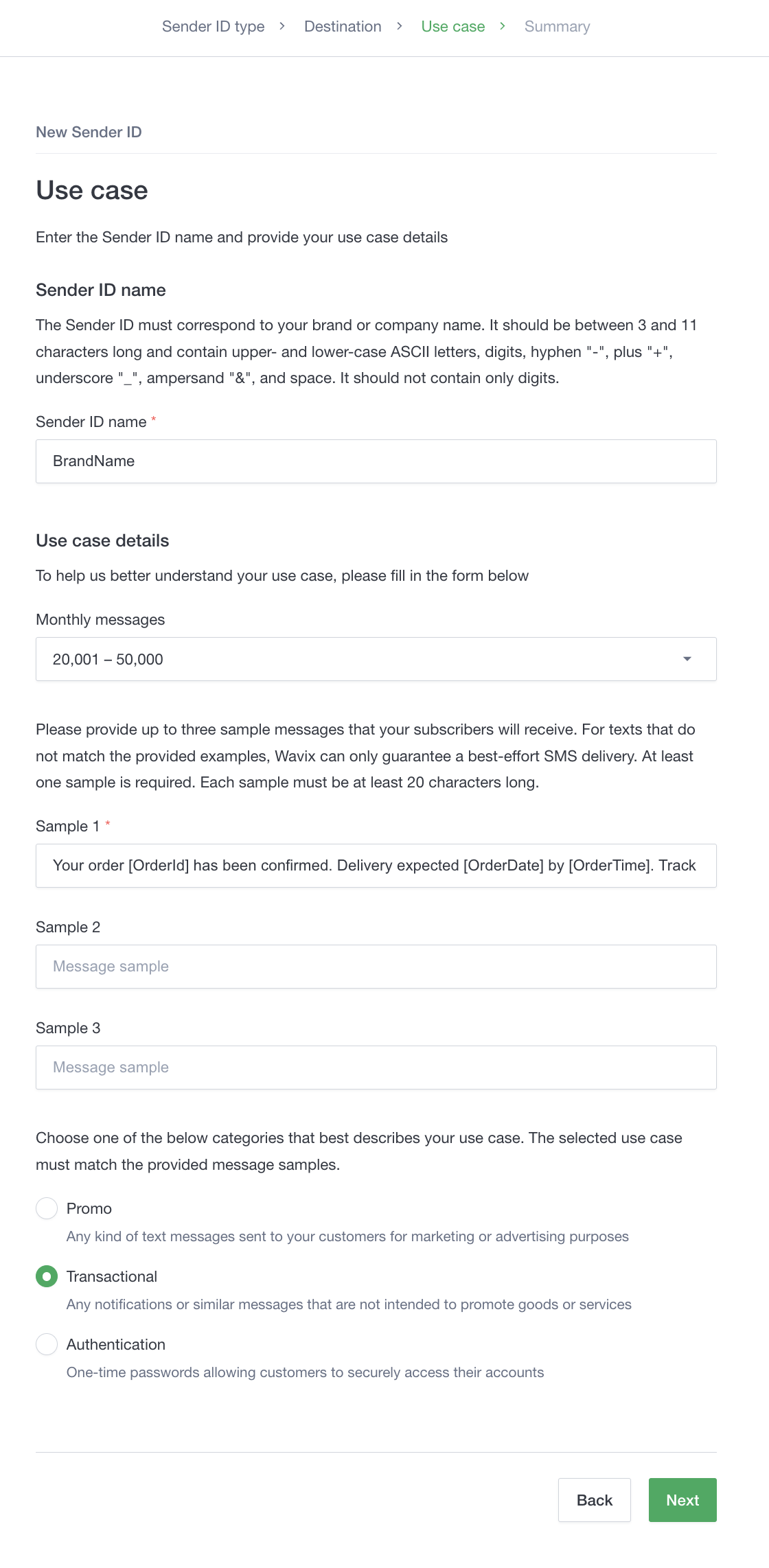
Summary and confirmation
Review the Sender ID, type, and destination countries. Your Sender ID will be automatically allow-listed for countries where no additional paperwork is required. Countries that require manual registration will be highlighted.
Select Confirm.
You can immediately start sending messages to countries that do not require manual Sender ID registration.
Register a Sender ID using the API
Sender ID regulations vary by country. You can register a Sender ID using the API only in countries that allow instant registration for the Sender ID type. If a country in the request doesn’t, the API returns theHTTP 400 Bad Request status code with an error message that names the country. In that case, create the Sender ID in the Wavix portal and go through the review or registration procedure.
To register a new Sender ID, use the following method:
sender_id: the name of the Sender ID. Required.type: Sender ID type, eithernumericoralphanumeric. Required.countries: an array of 2-letter ISO codes of the countries the Sender ID needs to be registered in. Required.usecase: the messaging use case. Can betransactional,promo, orauthentication. Required.monthly_volume: the estimated monthly message volume. Can be1-1000,1001-20000,20001-50000,50001-100000, orMore than 100000. Optional.samples: an array of sample messages you plan to send. Optional.
To send messages to US recipients, register your Sender ID with the 10DLC API instead. Registering a Sender ID incurs a recurring monthly fee, billed to your Wavix account balance.
HTTP 201 Created status code. The response body contains the Sender ID details.
id: system-generated unique ID of the Sender IDsender_id: name of the Sender IDtype: Sender ID typeallowlisted_in: an array of countries the Sender ID is automatically provisioned inusecase: the messaging use casesamples: the sample messages submitted with the Sender ID
Get a list of Sender IDs on the account
To get a list of Sender IDs, use the following method. This method does not require any parameters.HTTP 200 OK status code. The response body contains an array of Sender IDs provisioned on the account and their details.
id: unique ID of the Sender IDallowlisted_in: an array of countries the Sender ID is automatically provisioned insender_id: the name of the Sender IDtype: Sender ID type
Delete a Sender ID
To delete a Sender ID, use the following method:id: unique ID of the Sender ID
HTTP 200 OK status code and a success indicator.
Send a message
Using a sandbox account? A few rules apply to this request—see Sandbox. To send an SMS or MMS message, use the following method:from: the Sender ID to be used to send an SMS, must be a registered Sender ID on your account. Required.to: the recipient phone number, must be in E.164 format (international format with + and country code, for example, +12015551234). Required.message_body.text: the text of the SMS message to be sent. Required.message_body.media: an array of up to 5 URLs to media files to be included in the message attachments. In case the parameter is specified and its value is different fromnull, the message will be sent as MMS. The URLs must point to publicly available resources. Optional.
callback_url: the URL where Wavix sends delivery reports for the message.validity: the message validity period, in seconds. Delivery attempts stop after this period expires.tag: a tag to group messages, such as for a specific campaign.
HTTP 201 Created status code. The response body contains the sent message details.
Response example:
Get message details
To get the message details, including delivery status, use the following method:message_id: the unique identifier of the message on the Wavix platform for which the details are requested.
HTTP 200 OK status code. The response body contains the message details.
Response example:
status field shows the delivery status:
- accepted: The Wavix platform accepted the message for sending
- pending: The message is queued and awaiting a carrier response
- sent: The message was handed to the carrier
- delivered: The carrier confirmed delivery to the handset
- undelivered: The carrier reported that delivery failed; check
error_messagefor details - expired: The validity period elapsed before the message was sent
- rejected: The message was rejected before sending; check
error_messagefor details - dlr_expired: No delivery receipt arrived from the carrier within the expected window
Unsubscribe a recipient
If you need to unsubscribe a recipient from receiving SMS or MMS messages, use the following method:opt_out.number: the phone number to be opted out. Required.opt_out.sender_id: Sender ID of which the phone number will be opted out. If not specified, the phone number will be opted out of all SMS messages.
HTTP 201 Created status code and a success indicator.